Insights / Private AI
Private AIGPU rack power density and cooling: from air to liquid
· 8 min read
On this page
GPU rack power density and cooling are the two numbers that decide whether AI hardware fits your server room. A rack that runs at 5 kW today can need four times the power and heat removal once GPU servers arrive. Getting it wrong means throttled GPUs, tripped breakers or an expensive retrofit.
This guide shows how to estimate a GPU rack’s power and heat load, where air cooling reaches its limits, and when rear-door heat exchangers or liquid cooling take over. A calculator does the arithmetic for your own configuration.
How much power does a GPU rack draw?
Most racks in today’s data centres are not built for GPUs. Uptime Institute’s 2024 survey found that 4–6 kW racks are still the most common. Its 2025 survey put the average of typical rack densities at almost 9 kW, and most operators said their densest racks peak below 30 kW.
GPU servers change that quickly. Lawrence Berkeley National Laboratory (LBNL) uses rated powers of about 6.5 kW, 10.2 kW and 12.2 kW for three recent classes of 8-GPU server. One current-generation 8-GPU system is rated at about 14.3 kW. Uptime Institute describes dense GPU servers as drawing 1 kW per rack unit or more.
So a single 8-GPU server can use more power than an entire typical rack. Two of them put the rack at around 20 kW, before switches and storage.
Rated power and real draw
Datasheet power is a maximum. LBNL’s 2024 report cites measurements in which 8-GPU servers averaged 74% of rated power under AI training workloads. For energy bills, average draw is the right figure. For power feeds and cooling, design for the rated maximum, because training runs and busy periods can hold servers near full load.
How do you calculate rack power and heat load?
Rack power is simple arithmetic. For each server, add the GPU power (GPUs × watts per GPU) to the power of everything else: CPUs, memory, network cards, fans and power-supply losses. Then multiply by the number of servers in the rack.
Heat load follows directly, because almost all the electrical power a server uses becomes heat. NIST gives 1 BTU per hour as 0.293 W, so each watt is about 3.412 BTU per hour.
Interactive estimate
GPU rack power and cooling calculator
Whole number, 1–16.
Whole number, 0–16. Eight is common for data-centre servers.
Maximum board power from the datasheet.
CPUs, memory, network cards, fans and power-supply losses.
Rack power
20.4 kW
Heat load
69,605 BTU/hr
Cooling
Rear-door heat exchanger or direct-to-chip
Too dense for room air alone in most server rooms. A rear-door heat exchanger removes heat at the rack; at the upper end, direct-to-chip liquid cooling on the GPUs is the safer choice.
Assumptions
- Rack power = nodes × (GPUs per node × GPU power + other node power). It uses maximum ratings, so it is a design figure, not an average.
- Heat load in BTU/hr = watts × 3.412 (NIST SP 811: 1 BTU/h = 0.293 W). Nearly all electrical power becomes heat.
- Cooling bands follow Uptime Institute (2025): perimeter air up to 20–25 kW with optimised airflow (we use 20 kW); close-coupled cooling such as rear-door heat exchangers typically up to 50 kW; liquid cooling above 50 kW. ASHRAE TC 9.9 notes a 40–50 kW rack can need up to 5,000 cfm of air, against about 1,900 cfm from the best floor tile.
- Defaults: 8 GPUs at 700 W plus 4,600 W for CPUs, memory, network, fans and power-supply losses, so one node is about 10.2 kW, the rated power LBNL (2024) uses for this class of 8-GPU server.
- Excludes switches, storage and PDU losses in the same rack. Your engineering partner confirms the design from datasheets and a site survey.
Indicative estimate only. Contact us for an engineered proposal.
The defaults model two 8-GPU servers with 700 W GPUs and 4,600 W of other load each. That gives 10.2 kW per server, matching LBNL’s rated figure for that class. The rack totals 20.4 kW and about 69,600 BTU per hour of heat.
Now try four current-generation 8-GPU systems, rated at about 14.3 kW each. The rack totals 57.2 kW, which is firmly in liquid-cooling territory. In the calculator, any split of GPU and other power that adds up to 14,300 W per server gives the same result.
Why not spread the servers out?
One way to stay within air cooling is to put one GPU server in each rack. A 10 kW rack is within what good air cooling can handle, while a 20 kW rack is at the edge.
The trade-off is space and cabling. Spreading servers uses more racks and floor area, and GPU servers in a cluster need short, fast network links between them. For one or two servers in an existing room, spreading out is often the simplest answer. For a cluster, it usually makes more sense to cool a dense rack properly.
When is air cooling enough?
Uptime Institute puts perimeter air cooling, where room units push cold air through a raised floor or aisle, at up to 20–25 kW per rack. That assumes optimised airflow. Older systems manage about 10–15 kW.
To reach the top of that range, the room needs good air management:
- Containment: enclosed hot or cold aisles so exhaust air does not mix with supply air.
- Blanking panels: covers on empty rack slots so hot air cannot loop back to the server inlets.
- Enough supply air: the cooling units and floor tiles must deliver the airflow the servers pull through.
Airflow is the hard limit. ASHRAE’s technical committee on data centres notes that a 40–50 kW rack can need up to 5,000 cubic feet per minute of air. A best-in-class floor tile delivers about 1,900.
Fans also cost power. ASHRAE notes that fans can take 10% to 20% of power in some dense servers, or at least 5 kW in a 50 kW rack. Those fans run from the same UPS as the servers, so they eat into protected capacity.
When do rear-door heat exchangers fit?
A rear-door heat exchanger replaces the back door of the rack with a coil, 10 to 30 cm deep. Server exhaust air passes through it, and chilled water carries the heat away before the air re-enters the room. The room cooling then handles only the heat that is left.
Uptime Institute groups rear doors with in-row units as close-coupled cooling. It says these typically support up to about 50 kW per rack, and are a relatively easy way to add a few dense rows to an air-cooled room. They need a chilled-water supply at the rack and extra aisle space for the doors.
For a private AI deployment of one to four racks, this is often the practical middle step. The servers stay air-cooled, and the building gains a water loop that can later serve liquid-cooled equipment.
When do you need direct-to-chip or immersion cooling?
Uptime Institute says liquid cooling, hybrid or total, is typically used above 50 kW per rack. It is usually considered once processors exceed about 300 W each. High-end data-centre GPUs draw 700 W or more.
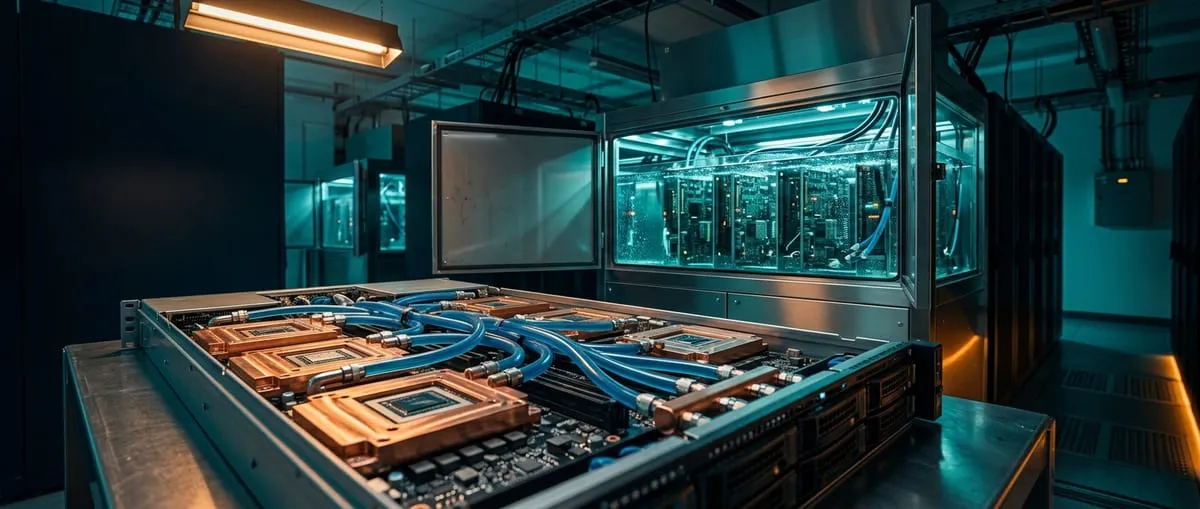
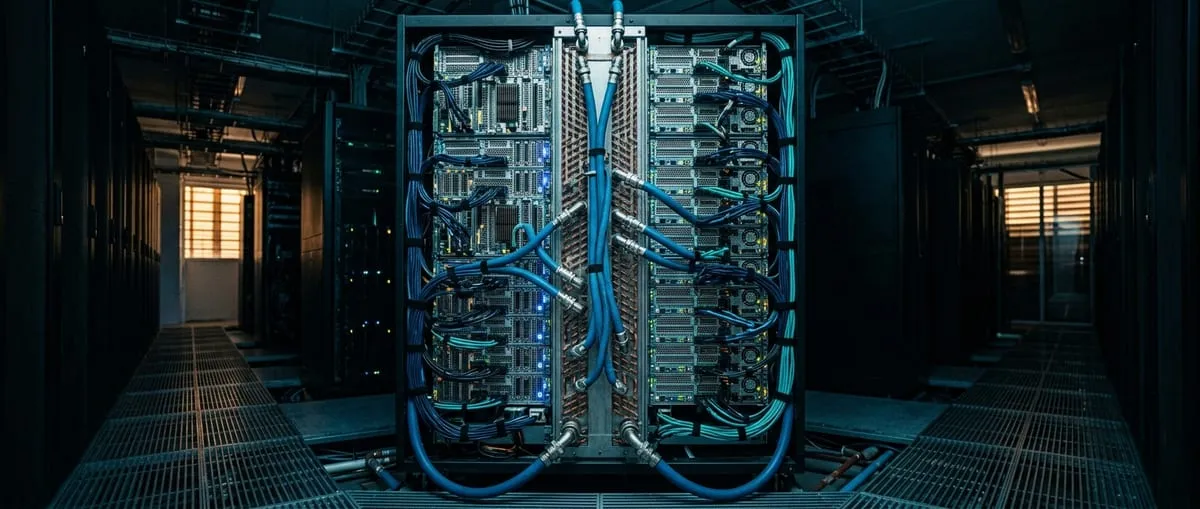
Direct-to-chip cooling puts cold plates on the GPUs and CPUs. Coolant carries heat to a coolant distribution unit (CDU), which passes it to the facility water loop. Some heat still goes to air: if cold plates capture 70% of a 70 kW rack’s heat, 21 kW must still be removed by air. Designs that also cool memory and storage can capture more than 90% and support racks above 150 kW.
Immersion cooling submerges the servers in a non-conductive fluid. Uptime notes it can support loads above 150 kW without air support, but it has yet to see much uptake for AI compute. Our comparison of direct-to-chip vs immersion cooling covers the trade-offs.
In the Gulf, the facility side matters too. Uptime notes that climate limits the choice of cooling system. It also expects facility efficiency to improve as higher temperature set points take effect, particularly with liquid-cooled IT hardware.
Cooling bands at a glance
| Rack power | Typical cooling | Basis |
|---|---|---|
| Below 20 kW | Room air with containment | Uptime: perimeter air up to 20–25 kW |
| 20–50 kW | Rear-door heat exchangers or other close-coupled cooling, or direct-to-chip | Uptime: close-coupled typically up to 50 kW |
| Above 50 kW | Direct-to-chip liquid cooling, or immersion | Uptime: liquid typically above 50 kW |
The calculator uses these bands. We start the middle band at 20 kW, the cautious end of Uptime’s 20–25 kW range for air.
How do you plan GPU rack power density and cooling together?
Power and cooling must be sized as one system. Every kW delivered to a rack is a kW of heat to remove, so the two budgets always match.
Work through these checks before GPU servers arrive:
- Power feeds: confirm the circuits and PDUs are rated for the full rack load at rated power.
- UPS capacity: include server fans, CDUs and pumps. ASHRAE notes that fan power rising from 2% to 10% of server power cuts usable UPS capacity by 8%.
- Cooling capacity: match the rack’s heat load, in kW or BTU per hour, to the cooling method’s rating at your supply temperatures.
- Space and weight: ASHRAE notes that rear doors may need wider aisles, and that floors, lifts and routes must be rated for heavy racks.
- Growth: leave headroom. Uptime expects rack densities to keep rising as dense GPU servers are deployed.
Our cooling and power range covers direct-to-chip systems, CDUs, UPS and intelligent PDUs. For the servers themselves, see GPU servers and racks.
What does this mean for a private AI deployment?
Most private AI deployments start smaller than a training cluster. Our Team bundle, with one or two professional GPUs, fits standard office power and cooling in most cases. A Department bundle with a 4–8 GPU server needs a rack power and cooling review for sustained full load.
Enterprise clusters with several 8-GPU servers usually move into rear-door or liquid cooling. Our partners check power, cooling, rack space and network during the site assessment. See the on-premise AI bundles, our guide to on-premise AI vs cloud cost, and what a private LLM needs to run.
Key takeaways
- Size the rack from rated power: servers × (GPUs × GPU watts + other load). Convert to heat at 3.412 BTU/hr per watt.
- Typical racks run below 10 kW, while one 8-GPU server is rated at about 6.5–14.3 kW.
- Room air cooling reaches about 20–25 kW per rack with good containment, per Uptime Institute.
- Close-coupled cooling such as rear-door heat exchangers typically reaches about 50 kW. Liquid cooling takes over above that.
- Plan power, UPS, cooling, space and weight together, and leave room for the next generation.
Frequently asked questions
How many kW does a GPU rack draw?
At what rack density does air cooling stop working?
How do I convert rack kW to BTU per hour?
Is immersion cooling common for AI servers?
Do the Synapse Horizon bundles need liquid cooling?
Sources
- Uptime Institute –AI and cooling: methods and capacities
- Uptime Institute –Uptime Institute Global Data Center Survey 2024
- Uptime Institute –Uptime Institute Global Data Center Survey 2025
- ASHRAE Technical Committee 9.9 –Emergence and Expansion of Liquid Cooling in Mainstream Data Centers
- Lawrence Berkeley National Laboratory –2024 United States Data Center Energy Usage Report
- National Institute of Standards and Technology –NIST Guide to the SI, Appendix B.9: Conversion factors
- IntuitionLabs –Data Center GPU Prices: Costs, Configs and Price History